
AI Workshop
LIVE INSTRUCTOR-LED
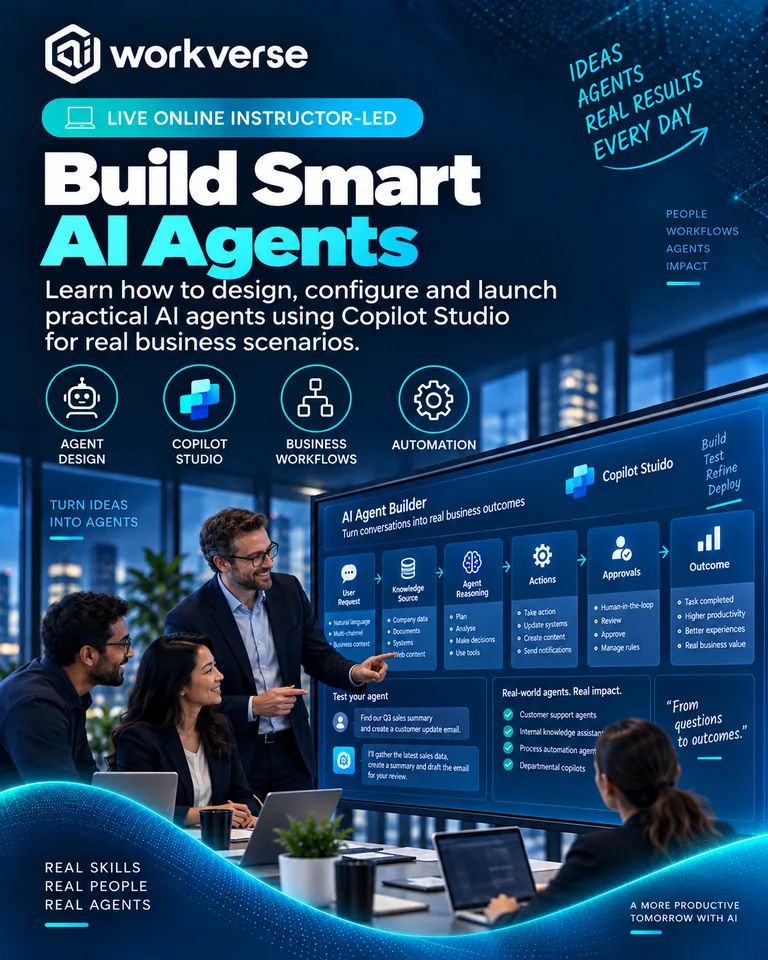
Build AI Agents using Copilot Studio
Design, build, test and improve practical AI agents in Microsoft Copilot Studio through a guided, hands-on experience.
Go from agent idea to a tested Copilot Studio prototype using a structured build-and-improve workflow.
1 day Team Workshop Activities and Re-usable content Certificate of participation
Workshop Overview
Overview
AI agents can help employees find information, complete repetitive tasks and interact with business processes through a conversational experience.
Build AI Agents using Copilot Studio is a practical workshop that takes participants from an agent idea to a working prototype. You will define the agent's purpose, configure instructions and knowledge, design conversation behaviour, connect actions where appropriate, test responses and consider deployment and governance.
The focus is on learning by building so participants understand both the possibilities and the design decisions that make an agent useful, reliable and safe.
Key Outcomes
By the end of this workshop, you'll be able to:
Explain the core building blocks of an AI agent in Copilot Studio.
Define a clear agent purpose, audience, scope and success criteria.
Configure instructions and knowledge sources for useful responses.
Design conversational behaviour and boundaries.
Use topics or guided conversation paths where deterministic handling is useful.
Connect actions or workflows where appropriate to extend what an agent can do.
Test agent responses systematically and identify failure patterns.
Improve grounding, instructions and user experience through iteration.
Apply practical security, data and governance considerations.
Prepare an agent for controlled pilot, feedback and further development.
Workshop Agenda
Explore the workshop
1 Agent Foundations
Understand agent use cases, architecture concepts and where Copilot Studio fits.
2 Choose the Right Use Case
Define the user need, task, scope, boundaries and success measures.
3 Create the Agent
Set up the agent, core instructions, identity and conversational behaviour.
4 Add Knowledge
Configure relevant knowledge sources and improve how the agent uses organisational information.
5 Design Conversations
Use generative behaviour and structured topics appropriately.
6 Add Actions
Explore how an agent can invoke workflows or business actions where suitable.
7 Test and Improve
Run test scenarios, identify weak responses and refine instructions, knowledge and flows.
8 Security and Governance
Consider access, data, ownership, testing and change control.
9 Pilot Readiness
Define users, success measures, feedback and next steps for a controlled rollout.
Who It's For
Built for people doing the work
Business technologists
Power Platform makers
Automation professionals
AI champions
Product and process professionals
Business analysts
Digital transformation teams
IT professionals exploring low-code AI agents
Innovation teams
Hands-on Activities
Learn by doing
Practical exercises you'll complete during the workshop.
Copilot Studio agent build
Instruction design
Knowledge configuration
Conversation and topic design
Action/workflow exercise
Agent test script
Failure analysis and refinement
Pilot readiness plan
You'll Leave With
Practical assets you can reuse
Working Copilot Studio Agent Prototype
Agent Use Case Canvas
Agent Instruction Template
Knowledge Design Checklist
Conversation Design Pattern
Agent Test Script
Responsible Deployment Checklist
Pilot Readiness Plan
Certification
Certificate of completion
Certificate of participation is included with this workshop.
Instructor
Meet your instructor

Rajiv Goel
AI Transformation Leader and Microsoft Certified Trainer
Microsoft Certified Trainer with enterprise AI adoption experience and a practical focus on low-code AI, Copilot capabilities and business transformation.
FAQs
Common questions
Do I need coding experience?
No. Copilot Studio is designed for low-code agent creation, although technical familiarity can help with more advanced integrations.
Do I need access to Copilot Studio?
Yes, hands-on participants should have suitable access in an approved environment. Organisations should confirm licensing and tenant permissions before the session.
Will we build a real agent?
Yes. Participants work through a guided agent build and testing process.
Does the workshop cover actions and workflows?
Yes. We introduce how agents can extend beyond question answering by invoking appropriate actions or workflows.
Will we connect to sensitive production systems?
Not by default. Exercises should use approved environments, safe data and controlled connections.
Does the workshop cover governance?
Yes. Ownership, data access, testing, publishing and lifecycle considerations are included.
Can the workshop use our business use case?
Yes, subject to access, security and preparation requirements.
What happens after the workshop?
The prototype and pilot plan can be developed further with security, architecture, data and business stakeholders.